Reddit's markdown formatting system gives you complete control over how your posts and comments look — but most Redditors barely scratch the surface.
While 73% of Reddit users stick to plain text, the power users who master markdown formatting see 3x higher engagement on their posts and comments. Why? Because well-formatted content is easier to read, more visually appealing, and signals that you put effort into your contribution.
This guide covers every Reddit markdown formatting option — from basic bold and italic text to advanced features like tables, spoiler tags, and nested formatting. By the end, you'll have a complete Reddit markdown cheat sheet to reference whenever you need it.
Let's dive in.
What Is Reddit Markdown Mode
Reddit markdown is a lightweight markup language that lets you format text using simple syntax characters instead of clicking toolbar buttons.
Markdown was created by John Gruber in 2004 as a way to write formatted text using plain characters that are easy to read even in their raw form. Reddit adopted markdown as its primary formatting system because it's:
- Fast — type syntax directly instead of clicking buttons
- Portable — works across desktop, mobile, and old Reddit
- Powerful — supports advanced formatting like tables and code blocks
- Universal — same syntax used on GitHub, Stack Overflow, and thousands of other platforms
Reddit offers two formatting modes:
Markdown Mode (the default) — You type syntax like **bold** to create bold text.
Fancy Pants Editor (Rich Text Editor) — You click buttons to format text, similar to Microsoft Word or Google Docs.
Most experienced Redditors prefer markdown mode because it's faster and more reliable, especially for quality Reddit comments that include complex formatting like code blocks or tables.
To switch between modes on desktop Reddit, look for the "Switch to markdown" or "Switch to fancy pants editor" link below the text box when creating a post or comment.
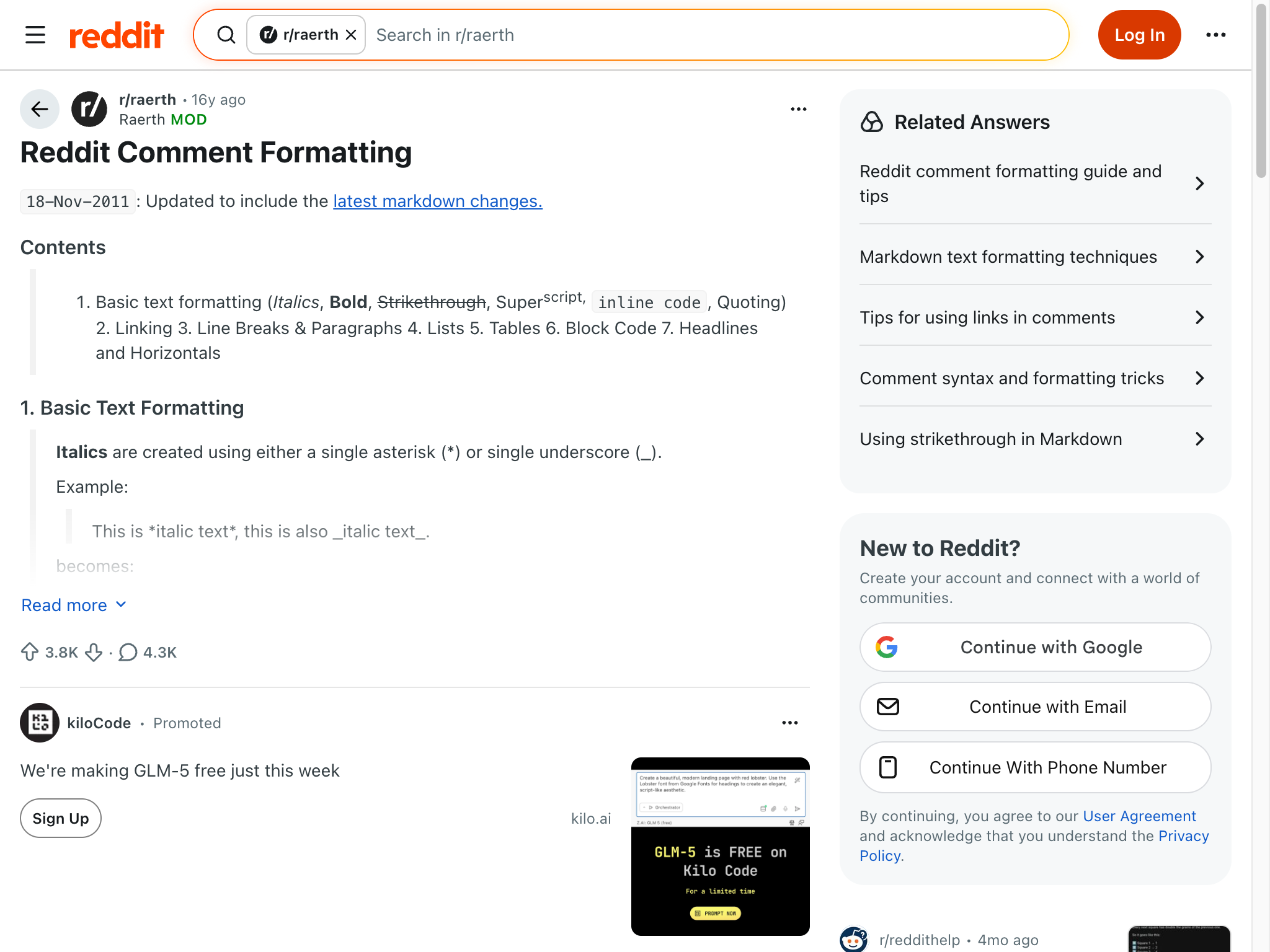
Basic Reddit Text Formatting (Bold, Italic, Strikethrough)
The three most common Reddit formatting options are bold, italic, and strikethrough. Here's how to create each one.
How to Bold Text on Reddit
To make text bold on Reddit, wrap it in double asterisks or double underscores.
Syntax: **bold text** or __bold text__
Result: bold text
Bold text is perfect for:
- Emphasizing key points
- Making headers stand out in longer comments
- Highlighting important warnings or updates
Pro tip: Most Redditors use asterisks (**) instead of underscores (__) because they're easier to type and more visually distinct in markdown mode.
Reddit Italic Text
To italicize text, wrap it in single asterisks or single underscores.
Syntax: *italic text* or _italic text_
Result: italic text
Italic text works well for:
- Subtle emphasis
- Book titles, movie names, or other works
- Sarcastic or ironic statements
- Foreign words or phrases
Reddit Strikethrough
Strikethrough text uses double tildes on each side.
Syntax: ~~strikethrough text~~
Result: strikethrough text
Strikethrough is commonly used for:
- Showing corrections or edits
- Humorous "corrections" in comments
- Crossing out outdated information
Combining Bold and Italic
You can nest formatting by combining different syntax elements.
Syntax: ***bold and italic*** or **_bold and italic_**
Result: bold and italic
For bold italic text, you need three asterisks on each side, or you can combine double asterisks with single underscores.
You can even combine all three:
Syntax: ~~***bold italic strikethrough***~~
Result: bold italic strikethrough
While this creates visually striking text, use it sparingly — too much formatting reduces readability.
How to Create Headers and Headings on Reddit
Headers help organize long posts and make them easier to scan. Reddit markdown supports six levels of headers, just like standard markdown.
Header Syntax
Create headers by adding hash symbols (#) before your text:
# Header 1 (largest)
## Header 2
### Header 3
#### Header 4
##### Header 5
###### Header 6 (smallest)
Important: You need a space between the hash symbols and your text. #Header won't work, but # Header will.
When to Use Reddit Headers
Headers are most useful in:
- Long self-posts or guides
- FAQs or resource lists
- Detailed explanations with multiple sections
- AMAs (Ask Me Anything threads)
On desktop Reddit, headers appear larger and bolder than regular text. On mobile apps, the visual distinction may be more subtle depending on your app's theme.
Pro tip: Header 1 (#) is rarely used in Reddit posts because the post title already serves that function. Start with Header 2 (##) for your main sections.
Reddit Lists, Blockquotes, and Code Blocks
Lists, quotes, and code blocks make your Reddit content more structured and professional-looking.
Unordered (Bulleted) Lists
Create bulleted lists with asterisks (*), hyphens (-), or plus signs (+):
* First item
* Second item
* Third item
Result:
- First item
- Second item
- Third item
All three symbols (*, -, +) work identically — choose whichever you prefer.
Ordered (Numbered) Lists
Create numbered lists with numbers followed by periods:
1. First item
2. Second item
3. Third item
Result:
- First item
- Second item
- Third item
Reddit's markdown parser is smart — you can even use 1. for every item and it will auto-number them correctly:
1. First item
1. Second item
1. Third item
This still produces a properly numbered 1, 2, 3 list.
Nested Lists
Indent with four spaces or one tab to create nested lists:
* Main item
    * Nested item
    * Another nested item
* Another main item
    1. Nested numbered item
    2. Another nested numbered item
Result:
- Main item
- Nested item
- Another nested item
- Another main item
- Nested numbered item
- Another nested numbered item
Blockquotes
Create blockquotes with the > symbol at the start of a line:
> This is a blockquote.
> It can span multiple lines.
Result:
This is a blockquote. It can span multiple lines.
Blockquotes are perfect for:
- Quoting other Redditors you're replying to
- Citing external sources
- Highlighting important information
You can even nest blockquotes:
> First level quote
>> Second level quote
>>> Third level quote
Result:
First level quote
Second level quote
Third level quote
How to Format Code on Reddit
Reddit supports two types of code formatting: inline code and code blocks.
Inline code uses single backticks:
Syntax: `inline code`
Result: inline code
Inline code is useful for mentioning variable names, file paths, or short code snippets within regular text.
Code blocks use either four spaces of indentation or triple backticks:
Method 1 — Four spaces:
    def hello_world():
        print("Hello, Reddit!")
Method 2 — Triple backticks:
```
def hello_world():
    print("Hello, Reddit!")
```
Result:
def hello_world():
    print("Hello, Reddit!")
Code blocks preserve formatting and use a monospace font, making them essential for sharing programming code, terminal commands, or any text where spacing matters.
Pro tip: Triple backticks don't work on old Reddit or some mobile apps. For maximum compatibility, use the four-space indentation method.
How to Add Links, Images, and Tables on Reddit
Reddit markdown makes it easy to embed links, reference images, and create structured tables.
How to Add Links on Reddit
The basic link syntax is:
[link text](URL)
Example: [how to use Reddit](/how-to-use-reddit/)
Result: how to use Reddit
You can also create reference-style links for cleaner markdown:
[link text][reference-id]

[reference-id]: https://example.com
This is useful in posts with many links — it keeps your text readable while moving all URLs to the bottom.
Automatic Link Detection
Reddit automatically converts URLs into clickable links, even without markdown syntax:
https://www.reddit.com
Becomes: https://www.reddit.com
However, using proper markdown syntax lets you create cleaner anchor text instead of showing the full URL.
How to Add Images on Reddit
While you can't directly embed images in Reddit comments using markdown, you can link to them:

Example: 
On many Reddit interfaces, this creates a linked image. On others, it just creates a hyperlink to the image.
For posts, you typically upload images directly through Reddit's post creation interface rather than using markdown.
How to Create Tables on Reddit
Tables use pipes (|) and hyphens (-) to create columns and rows:
| Column 1 | Column 2 | Column 3 |
|----------|----------|----------|
| Data 1   | Data 2   | Data 3   |
| Data 4   | Data 5   | Data 6   |
Result:
| Column 1 | Column 2 | Column 3 |
|---|---|---|
| Data 1 | Data 2 | Data 3 |
| Data 4 | Data 5 | Data 6 |
You can align columns by adding colons to the separator row:
| Left-aligned | Center-aligned | Right-aligned |
|:-------------|:--------------:|--------------:|
| Left         | Center         | Right         |
Result:
| Left-aligned | Center-aligned | Right-aligned |
|---|---|---|
| Left | Center | Right |
Tables are excellent for:
- Comparing features or options
- Presenting data or statistics
- Creating structured lists with multiple attributes
- Game stats or sports scores
Pro tip: Tables don't render properly on old Reddit or some mobile apps. If your audience uses those platforms heavily, consider using formatted lists instead.
Reddit Markdown vs Rich Text Editor
Reddit offers two editing modes: Markdown Mode and the Fancy Pants Editor (Rich Text Editor). Here's how they compare.
Markdown Mode Advantages
Speed — Type syntax directly without lifting hands from keyboard
Precision — Exact control over formatting, especially for code blocks and tables
Portability — Works identically across desktop, mobile, old Reddit, and third-party apps
Reliability — Fewer bugs with complex formatting like nested lists or combined bold/italic
Universality — Same skills transfer to GitHub, Stack Overflow, Discord, and other platforms
Rich Text Editor Advantages
Visual — See formatted output while typing, like in Microsoft Word
Beginner-friendly — No need to memorize syntax
Clickable — Toolbar buttons for common formatting options
Familiar — Similar to other WYSIWYG (What You See Is What You Get) editors
Which Should You Use?
For simple comments, both modes work fine. But for professional Reddit content or posts requiring advanced formatting, markdown mode is superior because:
- The Rich Text Editor can introduce invisible formatting errors
- Copy-pasting from other sources often breaks in Rich Text mode
- Code blocks and tables are much easier to create in markdown
- You can edit markdown text in any text editor offline
Most power users on Reddit stick to markdown mode exclusively. It takes 30 minutes to learn the basics, but saves hours over time.
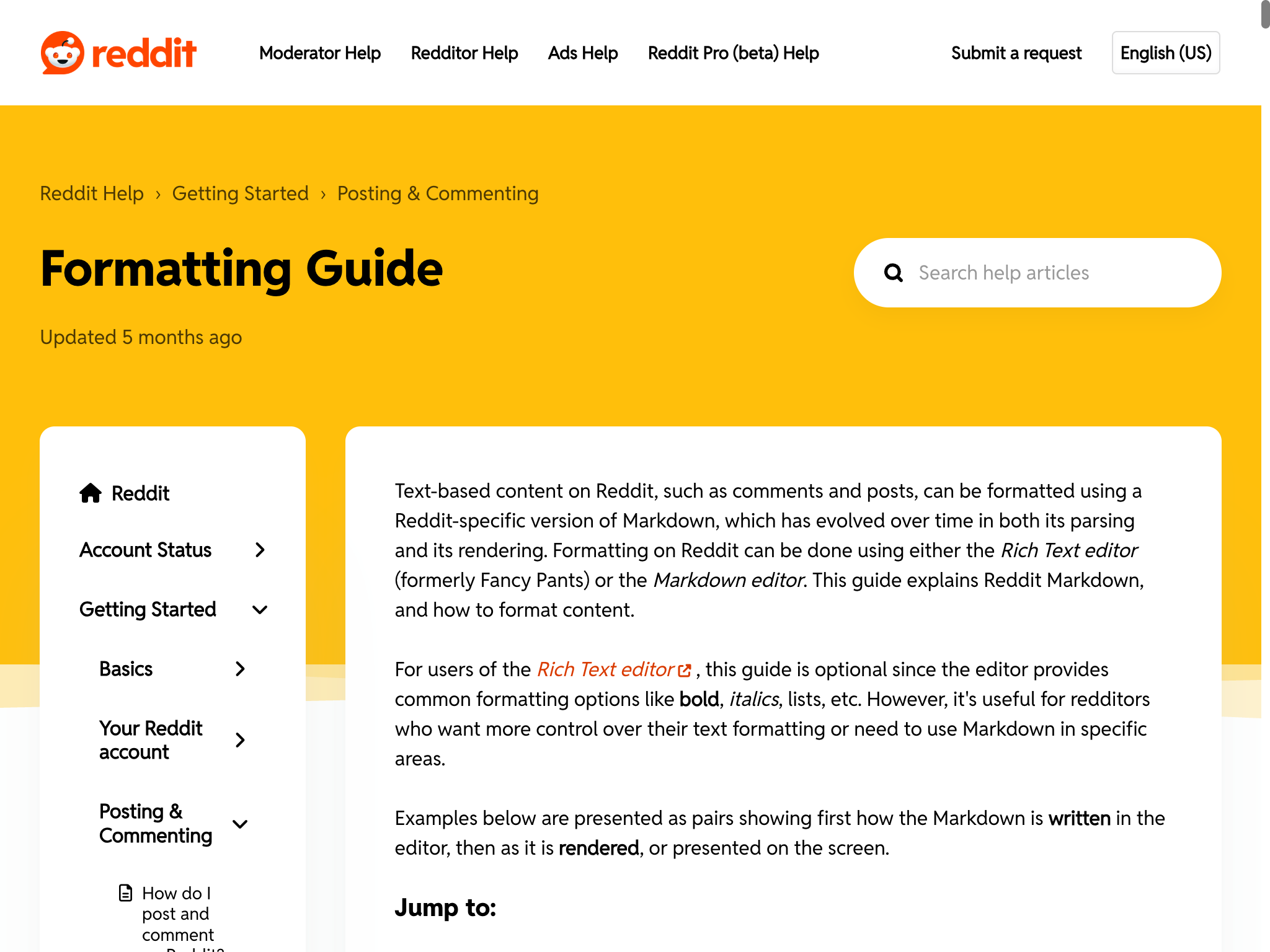
Advanced Reddit Formatting Tips and Tricks
Once you master the basics, these advanced techniques will make your Reddit content stand out.
Reddit Spoiler Tag
Hide spoilers using >!spoiler text!< syntax:
Syntax: >!Darth Vader is Luke's father!<
Result: >!Darth Vader is Luke's father!<
Users must click to reveal the hidden text. This is essential when discussing movies, TV shows, books, or game plots.
Pro tip: Don't put spaces between the >! or !< and your text, or the spoiler tag may not work properly.
Superscript and Subscript
Create superscript with the caret (^) symbol:
Syntax: 2^10 = 1024
Result: 2^10 = 1024
For multiple words in superscript, use parentheses:
Syntax: Reddit^(is the front page of the internet)
Result: Reddit^(is the front page of the internet)
Subscript isn't officially supported in Reddit markdown, but some subreddits enable it through custom CSS.
Horizontal Lines
Create horizontal dividers with three or more hyphens, asterisks, or underscores:
---
***
___
All three create the same horizontal line:
Use these to separate major sections in long posts.
Escaping Markdown Characters
If you need to display markdown syntax characters literally (like asterisks or underscores), escape them with a backslash (\):
Syntax: \*\*This text won't be bold\*\*
Result: **This text won't be bold**
This is useful when discussing markdown itself or when you need to use special characters without triggering formatting.
Line Breaks and Paragraphs
Reddit markdown handles spacing differently than you might expect:
Single line break — Press Enter once. Reddit ignores this and keeps text on the same line.
Paragraph break — Press Enter twice (leave a blank line). This creates a new paragraph.
Forced line break — End a line with two spaces, then press Enter once. This creates a line break without starting a new paragraph.
This behavior confuses many new Redditors who expect pressing Enter once to create a new line.
Username and Subreddit Mentions
While not strictly markdown, Reddit auto-links usernames and subreddits:
- Type
u/usernameto mention a user: u/spez - Type
r/subredditto link a subreddit: r/announcements
These automatically become clickable links to the user's profile or subreddit.
Combining Multiple Formatting Elements
You can create sophisticated formatting by combining multiple elements:
## FAQ

**Q: How do I [build Reddit karma](/reddit-karma-guide/)?**

A: Here are the key strategies:

1. **Post quality content** in active subreddits
2. *Engage authentically* in discussions
3. ~~Spam~~ Contribute value

> "The best time to post on Reddit is when your target audience is most active."

For more advanced strategies, check our guide on [how to use Reddit](/how-to-use-reddit/).
This example combines headers, bold, italic, strikethrough, links, lists, and blockquotes in one coherent comment.
Reddit Markdown Cheat Sheet
Here's a complete reference table of all Reddit markdown syntax:
| Format | Syntax | Example | Result |
|---|---|---|---|
| Bold | **text** or __text__ | **bold** | bold |
| Italic | *text* or _text_ | *italic* | italic |
| Bold Italic | ***text*** | ***both*** | both |
~~text~~ | ~~wrong~~ | ||
| Header 1 | # text | # Big Header | # Big Header |
| Header 2 | ## text | ## Section | ## Section |
| Header 3 | ### text | ### Subsection | ### Subsection |
| Inline code | `text` | `code` | code |
| Code block | 4 spaces or ``` | See above | See above |
| Blockquote | > text | > quote | > quote |
| Link | [text](URL) | [Reddit](https://reddit.com) | |
| Image |  |  | |
| Bulleted list | * item | * bullet | • bullet |
| Numbered list | 1. item | 1. first | 1. first |
| Horizontal line | --- or *** | --- | --- |
| Spoiler tag | >!text!< | >!spoiler!< | >!spoiler!< |
| Superscript | ^text | x^2 | x^2 |
| Table | | cell | | See above | See above |
| Escape character | \ | \*not italic\* | *not italic* |
Save this cheat sheet for quick reference whenever you're formatting Reddit posts or comments.
Common Reddit Formatting Mistakes and Troubleshooting
Even experienced Redditors make these formatting errors. Here's how to avoid them.
Mistake 1: Not Using Blank Lines
Problem: Text runs together when you don't leave blank lines between paragraphs.
Wrong:
First paragraph.
Second paragraph.
Right:
First paragraph.

Second paragraph.
Always press Enter twice to create paragraph breaks.
Mistake 2: Spaces in Spoiler Tags
Problem: Spoiler tags don't work if you add spaces after >! or before !<.
Wrong: >! spoiler text !< (spaces inside tags)
Right: >!spoiler text!< (no spaces)
Keep the >! and !< immediately next to your text.
Mistake 3: Forgetting the Space After Headers
Problem: Headers don't format if you forget the space between # and the text.
Wrong: ##Header (no space)
Right: ## Header (space after ##)
Always include a space between your hash symbols and header text.
Mistake 4: Using One Asterisk for Bold
Problem: Using one asterisk creates italic text, not bold.
Wrong: *bold* creates italic
Right: **bold** creates bold
Remember: one asterisk = italic, two asterisks = bold.
Mistake 5: Code Blocks Not Working
Problem: Code blocks don't render properly without consistent indentation.
Wrong: Mixing tabs and spaces, or using less than four spaces
Right: Use exactly four spaces at the start of every code line, or use triple backticks
If your code block isn't rendering, check that every line starts with exactly four spaces.
Mistake 6: Tables Not Aligning
Problem: Table columns don't line up if you have inconsistent pipe spacing.
Wrong:
| Column 1 | Column 2|
|---|-----|
| A| B |
Right:
| Column 1 | Column 2 |
|----------|----------|
| A        | B        |
Use consistent pipe placement and adequate separator hyphens (at least three per column).
Why Isn't My Reddit Formatting Working?
If your markdown isn't rendering correctly:
- Check your mode — Make sure you're in Markdown Mode, not Rich Text Editor
- Verify syntax — Double-check spacing, special characters, and required symbols
- Test on desktop — Some formatting works on desktop but not mobile apps
- Check the subreddit — Some subreddits disable certain markdown features
- Use the preview — Click "Preview" before posting to see how it will look
- Try old Reddit — Visit old.reddit.com to see how your formatting renders there
Most formatting issues come from small syntax errors like missing spaces or incorrect symbol counts.
Mobile vs Desktop Reddit Formatting
Reddit formatting works slightly differently across platforms.
Desktop Reddit (new.reddit.com)
- Full markdown support
- Toggle between Markdown Mode and Fancy Pants Editor
- Live preview available while typing
- Tables, code blocks, and all formatting render correctly
Old Reddit (old.reddit.com)
- Classic markdown-only interface
- No Rich Text Editor option
- Most reliable for complex formatting
- What you type is what users see
Reddit Mobile Apps (Official)
- Markdown Mode available but harder to access
- Rich Text Editor is default
- Some formatting (like tables) may not render properly
- Triple backtick code blocks may not work
Third-Party Apps (Apollo, RIF, Boost, etc.)
- Markdown support varies by app
- Generally good markdown rendering
- Some apps have custom formatting shortcuts
- Check your specific app's documentation
For maximum compatibility across all platforms, stick to basic formatting (bold, italic, links, lists) and test complex formatting on multiple platforms before posting.
When to Use Markdown vs Rich Text Editor
Choose Markdown Mode when you need:
- Code blocks or syntax highlighting
- Tables with precise alignment
- Complex nested lists
- Combined formatting (bold + italic + strikethrough)
- To copy-paste content from external markdown editors
- Maximum control over output
- Content that will be viewed on old Reddit or third-party apps
Choose Rich Text Editor when you:
- Are brand new to Reddit and unfamiliar with markdown
- Need quick formatting for simple comments
- Want visual feedback while typing
- Are using mobile and find markdown syntax difficult to type
For anyone serious about creating quality Reddit comments or detailed posts, learning markdown mode is worth the small time investment.
Additional Resources
Want to master Reddit formatting? These official resources will help:
- Reddit's Official Formatting Guide — Reddit's own documentation
- Markdown Guide: Reddit — Complete markdown syntax reference
- Reddit's Markdown Wiki — Community-maintained formatting documentation
These guides cover Reddit-specific markdown quirks and include examples you can copy and paste.
Frequently Asked Questions
How do I bold text on Reddit?
To bold text on Reddit, wrap your text in double asterisks: **bold text** produces bold text. You can also use double underscores: __bold text__ works identically. Most Redditors prefer asterisks because they're faster to type and more visually distinct in markdown mode.
What is the difference between Markdown Mode and Rich Text Editor on Reddit?
Markdown Mode requires typing syntax like **bold** to format text, while the Rich Text Editor (Fancy Pants Editor) uses toolbar buttons like Microsoft Word. Markdown Mode offers more control, works across all Reddit platforms, and is preferred by experienced users. Rich Text Editor is more beginner-friendly but can introduce formatting bugs with complex content.
How do I make a spoiler tag on Reddit?
Create spoiler tags with >!spoiler text!< syntax. For example: >!Darth Vader is Luke's father!< produces >!Darth Vader is Luke's father!<. Important: don't add spaces between the >! or !< and your text, or the spoiler tag may not work. Users must click the blurred text to reveal the spoiler.
Can I use markdown on Reddit mobile?
Yes, Reddit mobile apps support markdown formatting, but the interface differs from desktop. On the official Reddit app, you can switch to Markdown Mode by tapping the markdown icon (usually looks like < >) in the text editor toolbar. Some advanced formatting like tables may not render properly on all mobile apps, so test your formatting if precision matters.
How do I format code on Reddit?
For inline code, wrap text in single backticks: `code` produces code. For code blocks, either indent every line with four spaces, or use triple backticks before and after your code. The four-space method is more compatible with old Reddit and mobile apps. Code blocks preserve formatting and use monospace font, making them essential for sharing programming code.
Why isn't my Reddit formatting working?
Common causes: (1) You're in Rich Text Editor mode instead of Markdown Mode — look for a "Switch to markdown" link. (2) Missing syntax elements like spaces after # for headers, or using single * instead of double ** for bold. (3) The subreddit has disabled certain markdown features. (4) You're viewing on a platform that doesn't support that formatting. Always use the preview function before posting to check how your formatting will appear.